For private chambers in Bangladesh
Your whole practice, on your own computer
Nirnoy Rx is prescription software for private practice in Bangladesh. It works without the internet, keeps every patient record encrypted on your own machine, and you buy it once — there is no monthly fee.
30 days free · no card needed · Windows and Mac
medicines, from the DGDA register
languages — Bangla and English
taka per month
days free to try
What makes it different
Three reasons doctors choose it
Everything else it does rests on these three.
It does not stop when the line does
Load-shedding, a dead modem — the chamber keeps working, because the software is on your machine, not on a website.
Nobody else holds your patients
Everything sits in one encrypted file on your computer. We cannot read it — not even if we wanted to.
Bought once, yours
No monthly bill, and no chance of your chamber stopping because a renewal was missed.
Prescriptions
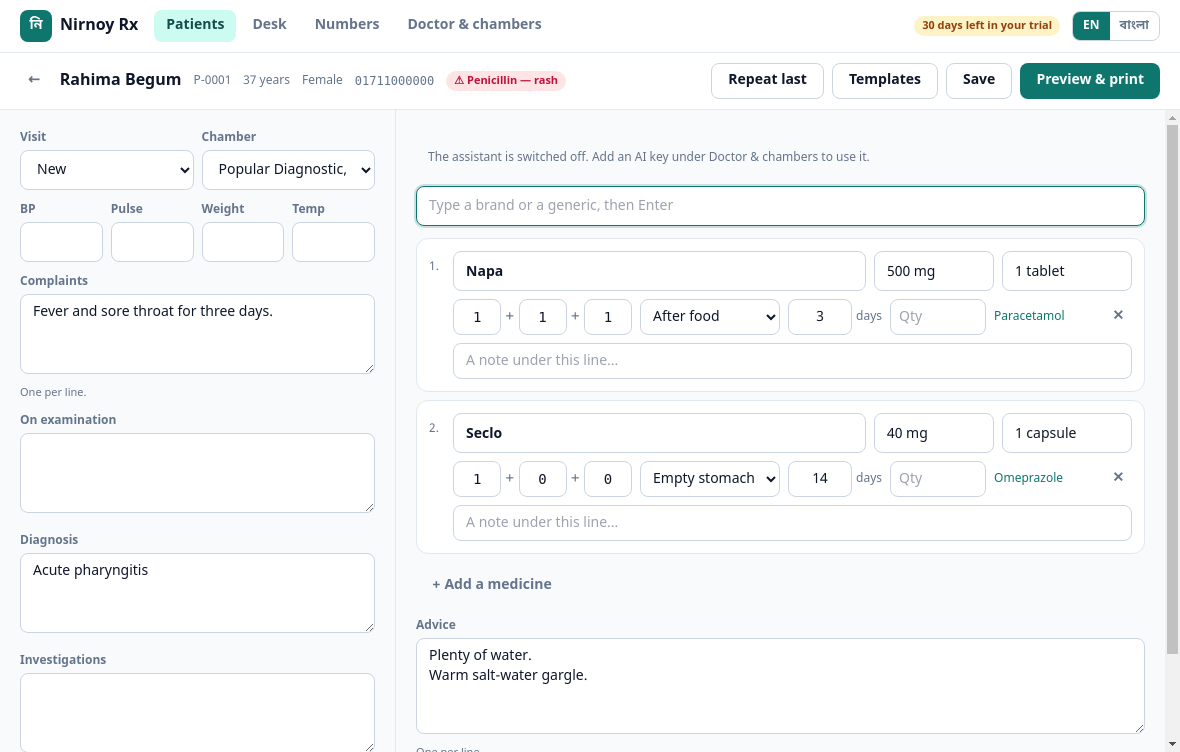
Start typing the brand and it knows the rest
Type “Napa” and the strength, the generic, the company and the dose are there — from the DGDA’s registered list, over thirty-eight thousand medicines. Give it a dose and it works out the quantity, so nobody has to do that arithmetic at the pharmacy counter.
- Search by generic as readily as by brand
- An allergy shows in red before you write
- Last visit’s prescription returns in one click
- Keep your own templates
Printing
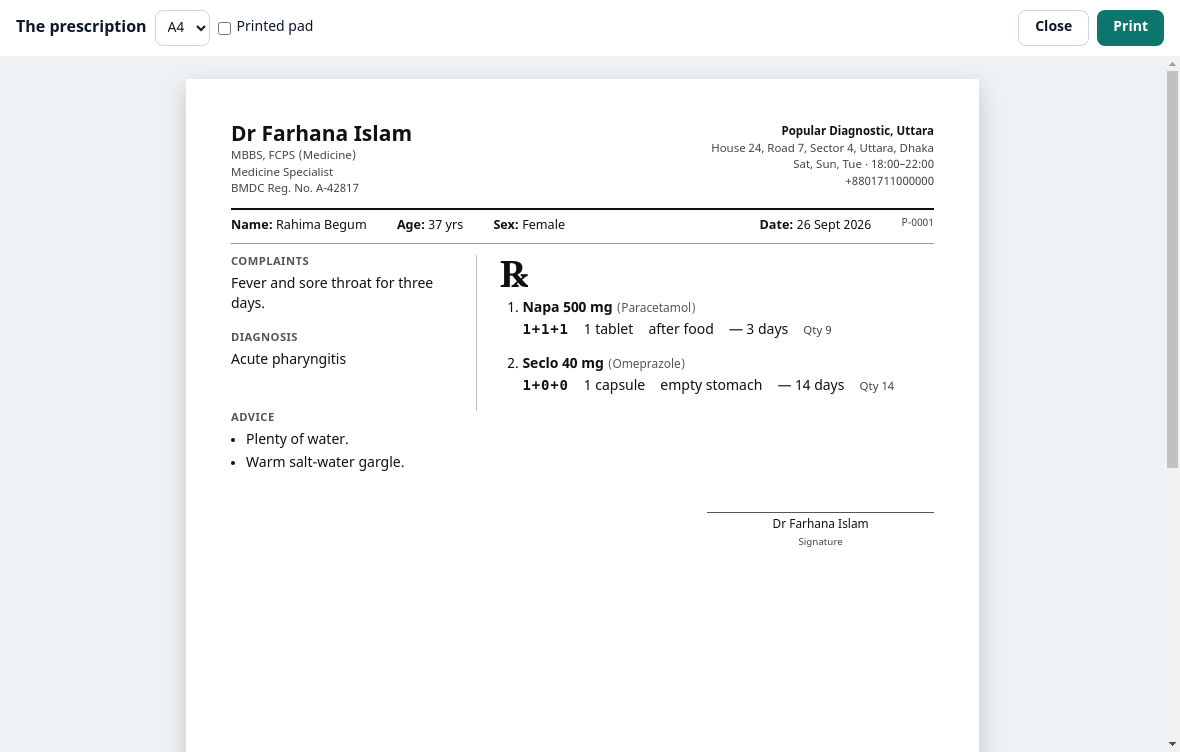
It prints on the pad you already have
If your pad already carries your name and degrees, it leaves that much blank at the top — you say how many millimetres. No pad, and it prints the whole thing, on A4 or A5. The generic name sits in small type under each brand, so the pharmacy cannot hand over the wrong thing.
- A4, A5, and a pre-printed pad
- Bangla or English, whichever the patient reads
- Save a PDF and send it on WhatsApp
Serials and the assistant
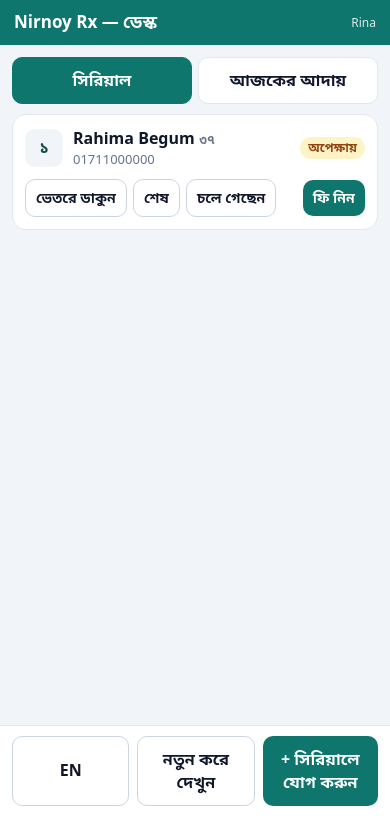
Your assistant’s own phone is enough
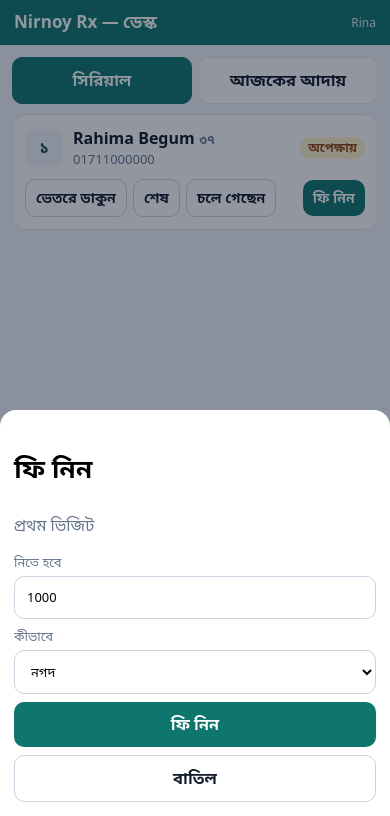
On the chamber’s wifi, your assistant opens the desk on their own phone — taking serials, taking money, seeing who has arrived and who has left. You decide what each phone may do; an assistant who only takes serials cannot reach the money at all.
- A six-digit code pairs the phone
- Prescriptions and files never go to the phone
- Revoke a phone whenever you like
Serials on the assistant’s phone
Online serials
Patients book from home, and know when to come
One link — the patient puts in a name, a mobile number and what is wrong, and takes a serial. If you want a deposit you can collect it two ways: straight through the bKash gateway, or by having them send it themselves and type the transaction ID for the desk to check. If you start late, the time on the patient’s own link updates itself.
- An approximate time, with half an hour of room
- A live board showing the number now being seen
- You cap how many online serials a day
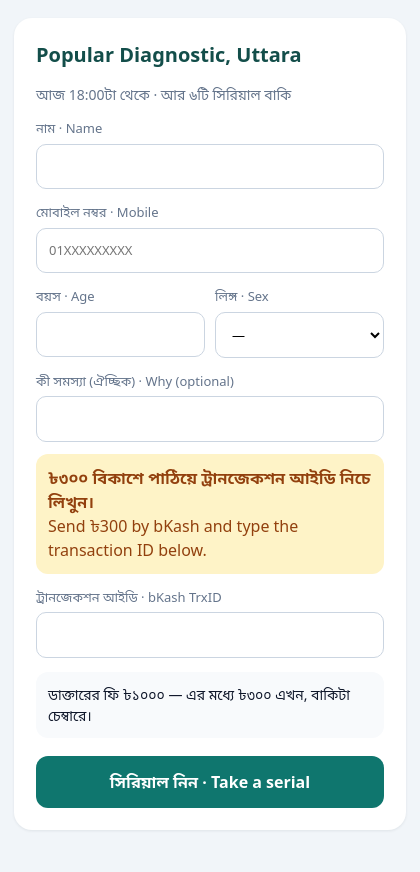
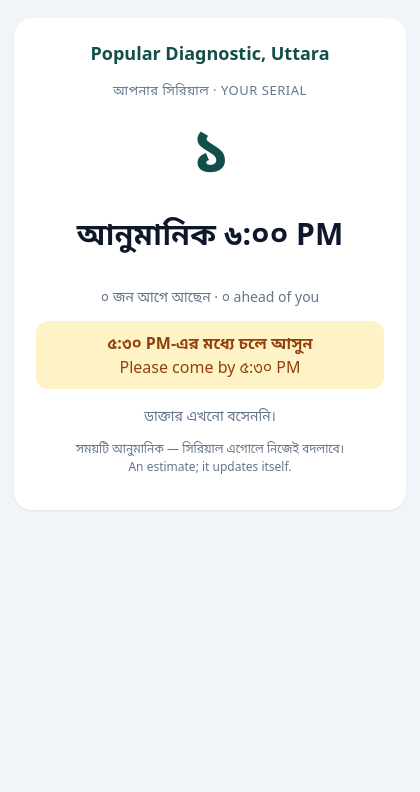
A patient taking a serial
Fees and takings
What came in today, and from whom
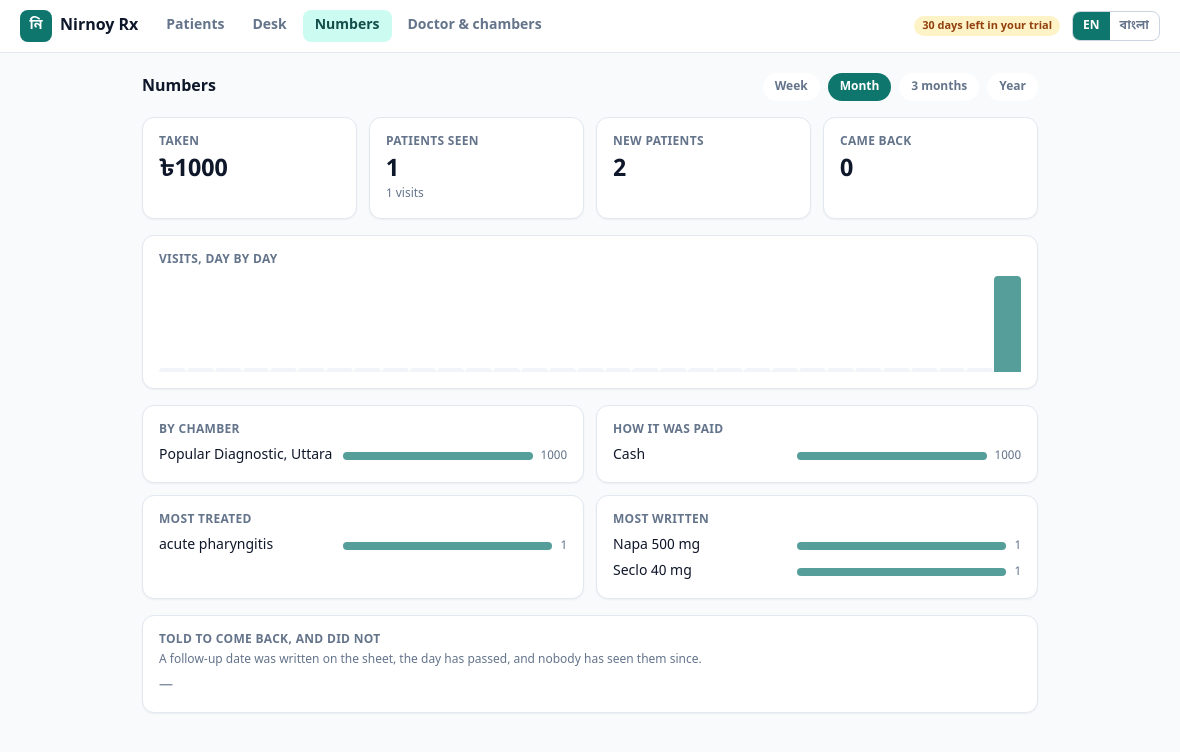
Every fee is written down as it is taken — cash, bKash or card. At the end of the day: the total, the centre’s share, and yours, on one screen. At the end of the month, which chamber did what, which complaints came most, and which medicines you wrote most often.
- Cash, bKash and card, kept apart
- The centre’s share comes off by itself
- A list of who never came back
Security
What a patient tells you stays with you
The whole practice lives in one encrypted file — AES-256, on your own computer. The key is held two ways: by Windows’ own protection, and by your recovery passphrase. Not even a patient’s name reaches a server of ours.
Comparison
How it differs from the others in Bangladesh
Every claim says where it came from, so you can check it yourself.
Common questions
What doctors ask
What is Nirnoy Rx?
Does it work without the internet?
Where is patient data stored?
What does it cost? Is there a monthly fee?
Can my assistant take serials from a phone?
Can patients book online, and pay a deposit?
What if the computer dies?
You could be using it this afternoon
Try it free for 30 days. No card, nothing to cancel — if it does not suit you, delete it.