Features
The chamber’s day, end to end
A serial before they walk in, a prescription while they sit, a fee on the way out, and the reckoning at the end of the day. The pictures below are the real application, captured from a running copy.
Prescriptions
Written the way you write
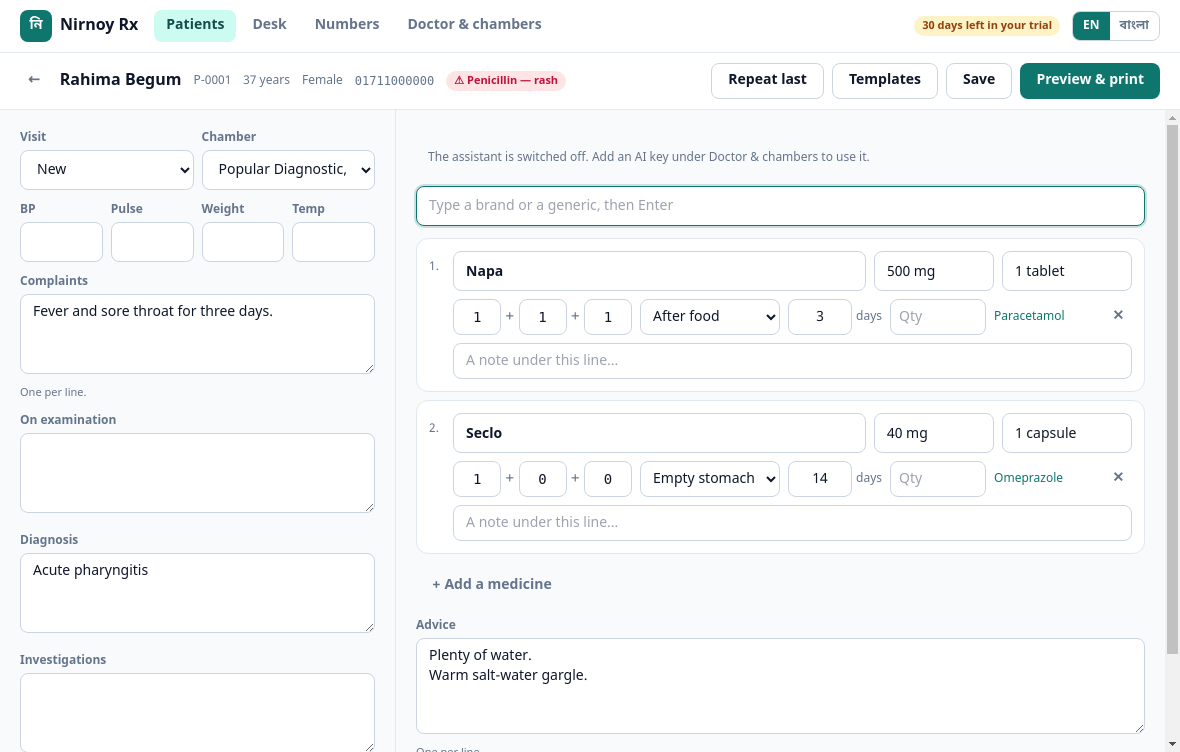
Complaints, examination, diagnosis and advice down the left; medicines down the right. Start typing a brand and the DGDA register offers it — strength, generic, company, form. Put in a dose (1+0+1) and a number of days and it works out the quantity itself.
- A recorded allergy sits in red beside the patient’s name
- Last visit’s prescription in one click
- Your own templates, for what you write every day
- A note under any single medicine
Printing
Your pad, your measurements
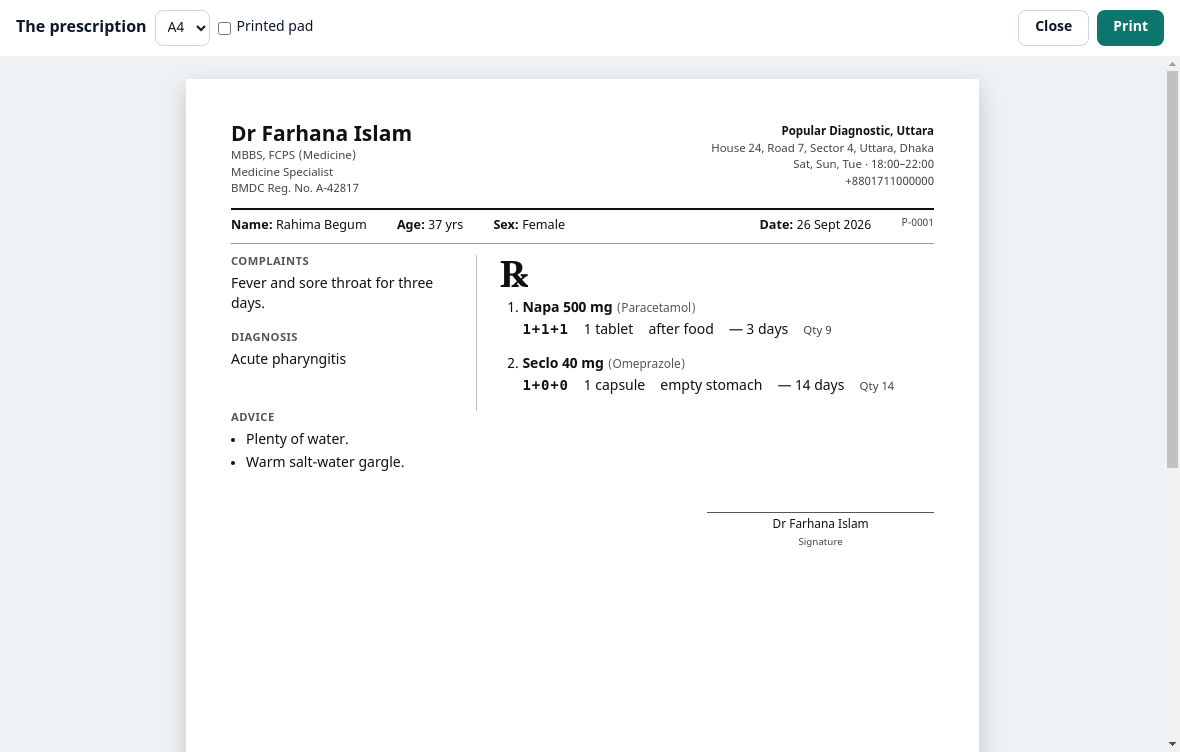
Using a pre-printed pad, say how many millimetres to leave at the top and it works around it. Without one it prints the whole sheet — your name, degrees, BMDC number and the chamber’s address.
- A4 and A5
- An exact preview before it goes to the printer
- Save as PDF and send it on WhatsApp
- The generic name in small type under each brand
Patient files
The mobile number is the patient
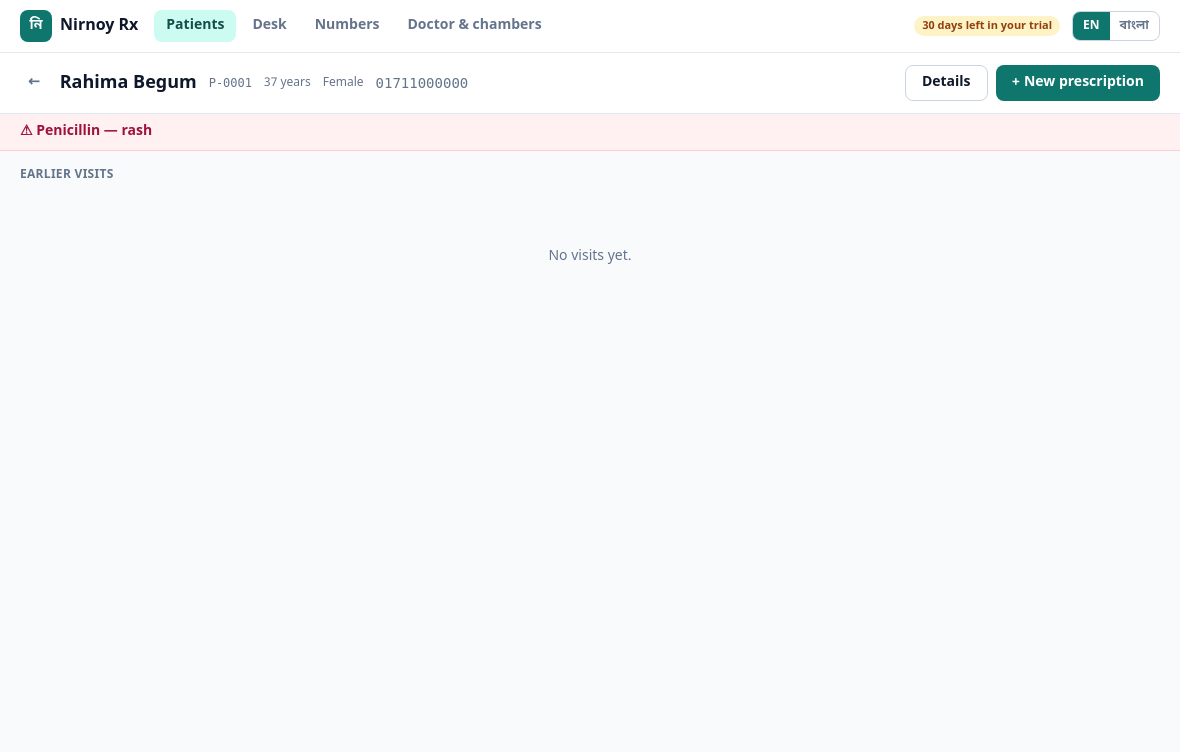
Searching by name does not work in Bangladesh — too many patients share one. So the mobile number is the identity. Type it and every earlier visit is there: what you prescribed, what it was for.
- Age counted in whole months, which matters for a child
- An allergy written once stays in front of you
- A list of who was due back and did not come
The drug register
All 38,202 registered medicines
Search by brand or by generic. Type “Napa” and Napa comes first — not naproxen. Single molecules before combinations, tablets before syrups, because that is usually what a chamber needs.
- Newly registered medicines arrive in their own update
- The DAR number is kept, and never printed on the patient’s sheet
- Add your own entries as well
The desk
The assistant’s phone is the desk
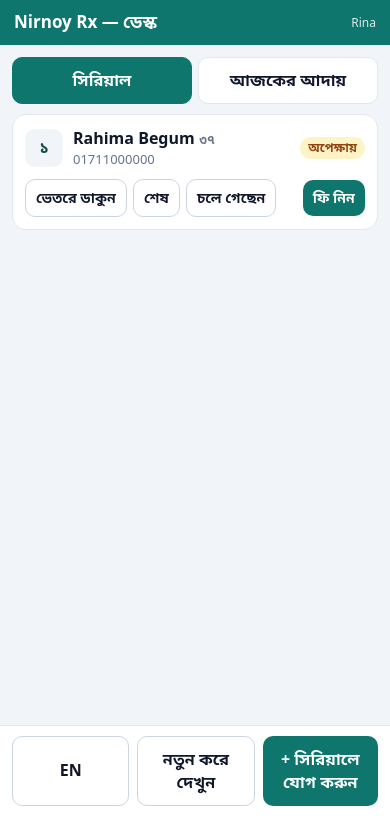
On the chamber’s wifi, the assistant joins with a six-digit code. After that: adding serials, calling the next patient in, taking the fee — all from that phone. No internet involved, because the phone is talking to your computer directly.
- What each phone may do is set for that phone
- A serials-only phone cannot reach the money
- Prescriptions and patient files never reach the phone
- A lost phone is revoked in one click
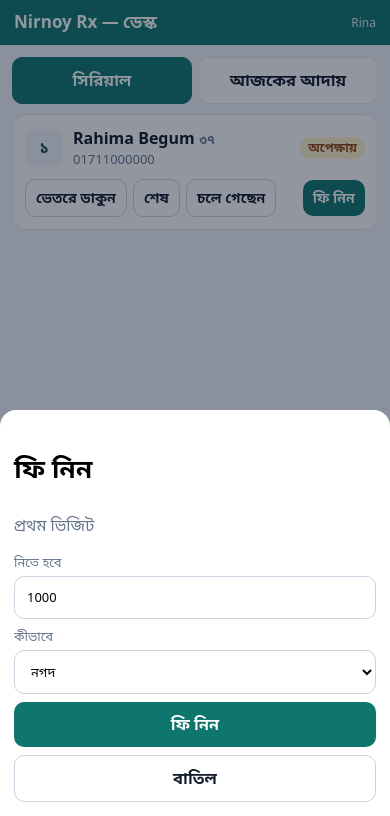
Serials on the assistant’s phone
Online serials and deposits
A deposit, two ways — whichever suits your chamber
The patient takes a serial from a link. If you want a deposit there are two ways: the bKash payment gateway, where they pay in the flow and the serial confirms itself; or sent manually, where they send it to your bKash number and type the transaction ID for the desk to match. A gateway account takes time to open, which is why the second way works from the first day.
- How many online serials a day, and how many you keep for walk-ins
- An approximate time, with half an hour of room
- Start late and the patient’s link shows the new time
- A live board, which can run on the chamber’s television
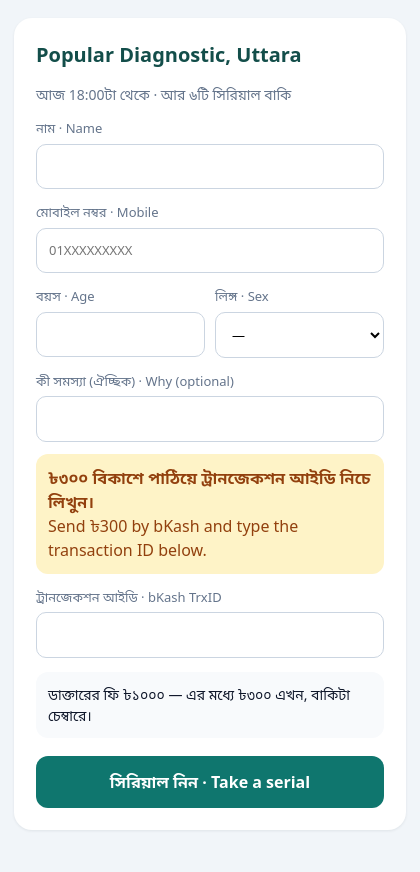
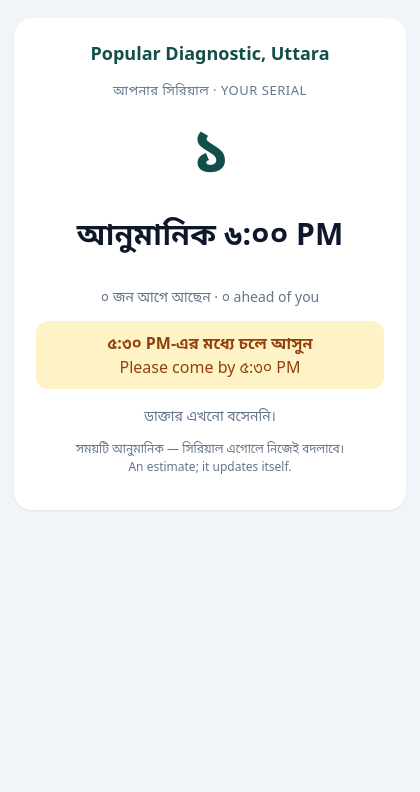
A patient taking a serial
Fees and takings
Settling with the chamber at month end
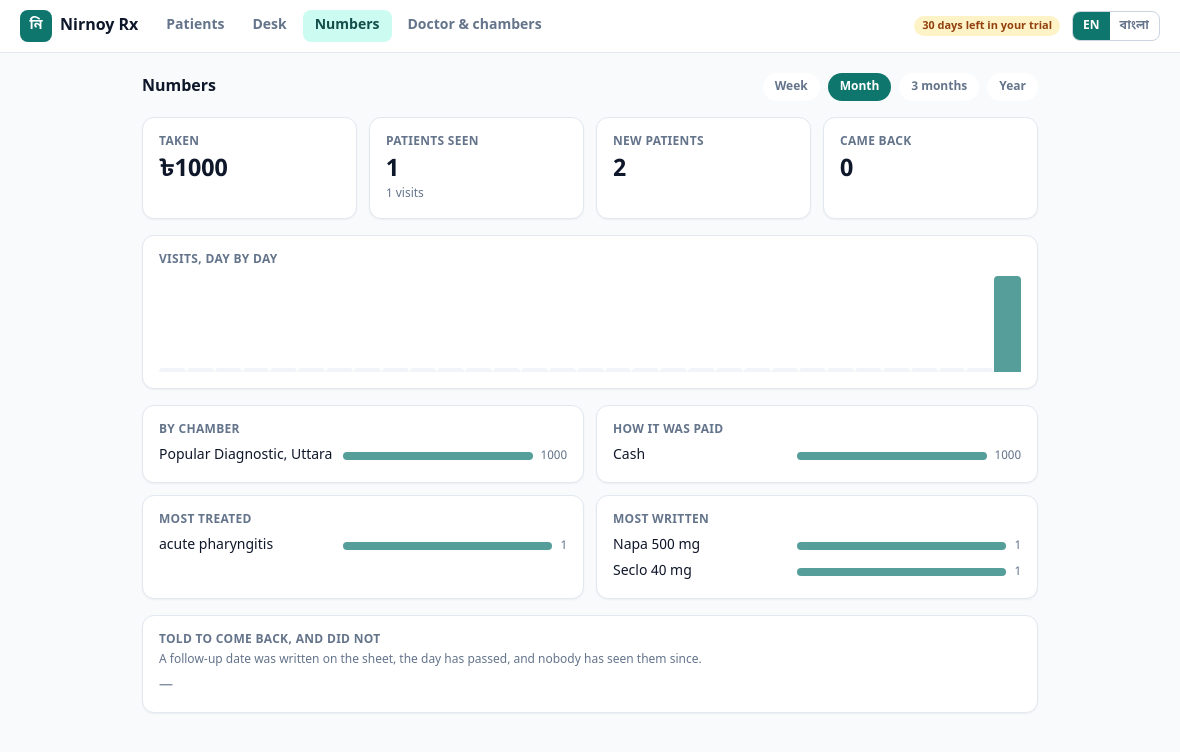
Each fee is written down as it is taken — cash, bKash or card; a new patient or a follow-up. Where the chamber takes a share it comes off by itself, so at month end what is yours and what is theirs is not a matter of opinion.
- By day, week, month or year
- Which complaints came most, which medicines you wrote most
- What each chamber brought in
Backup
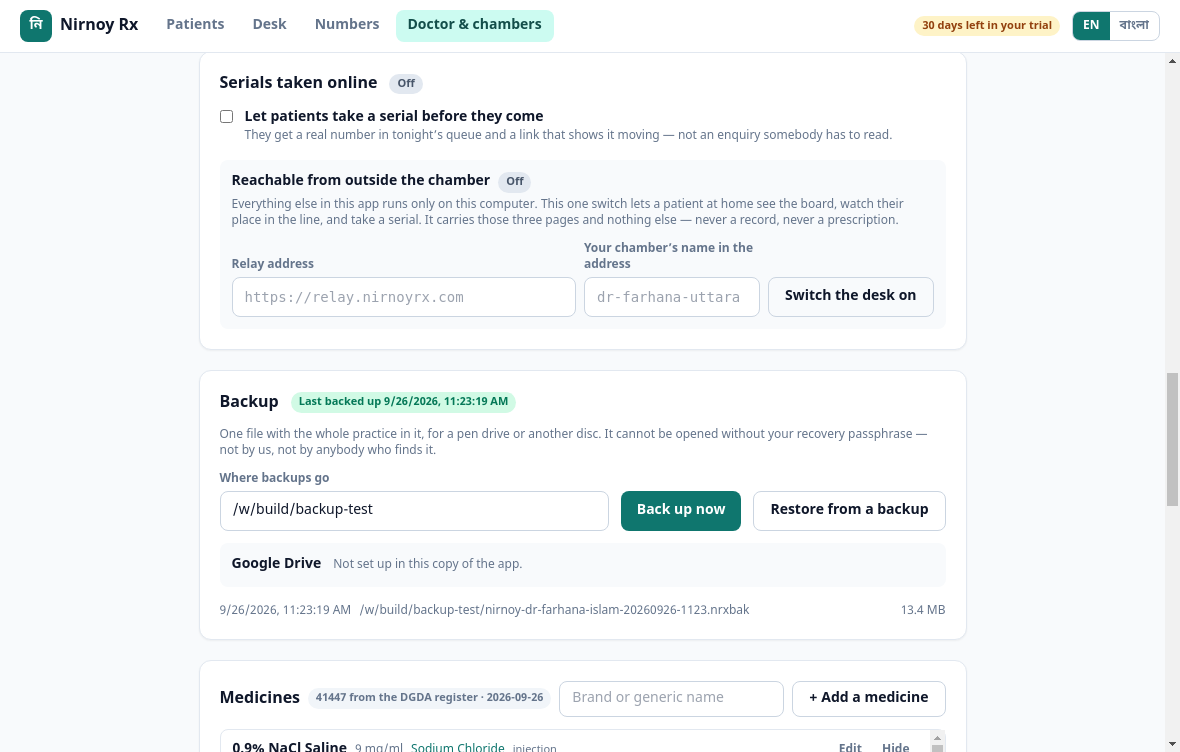
The whole practice, in one file
To a pen drive or to your own Google Drive — one file with the patients, the visits, the prescriptions and the takings inside it. Nobody can open it without your recovery passphrase, and that includes us. Changing computers takes nothing more than that file.
- When it was last backed up is on the screen
- In Drive we see only this app’s own files
- Before restoring, it shows you what is inside
The AI assistant
Where it helps, and only there
The AI does not practise medicine here. What it does is take away typing — reading values out of a photographed lab report, putting advice into plain Bangla for the patient, shortening a long history. Every button shows its likely cost before you press it.
- With your own API key you pay us nothing
- The key is encrypted on your machine
- The whole thing works with the AI switched off
Cost first, then the work
Beside every AI button is what it is likely to cost in credits. If something will be expensive it says so first rather than quietly spending it.
Offline and licensing
The licence is checked on your own machine
The licence is a signed file, bound to your computer, verified offline. Which means you are never stopped in the middle of a chamber by “could not verify your licence” — a thing that can and does happen with software that has to phone home.
- Moving to a new computer moves the licence
- Looking for updates can be switched off
- Drug register updates come separately, and the signature is checked
Questions
The practical details
Can I bring in my existing patients?
Can the prescription print in Bangla?
Can different chambers have different fees?
What does lab report OCR do?
Start today
Try it free for 30 days. No card, nothing to cancel — if it does not suit you, delete it.