Keeping it safe
Backing up and restoring
Backing up to a pen drive or Google Drive, and restoring onto a new computer.
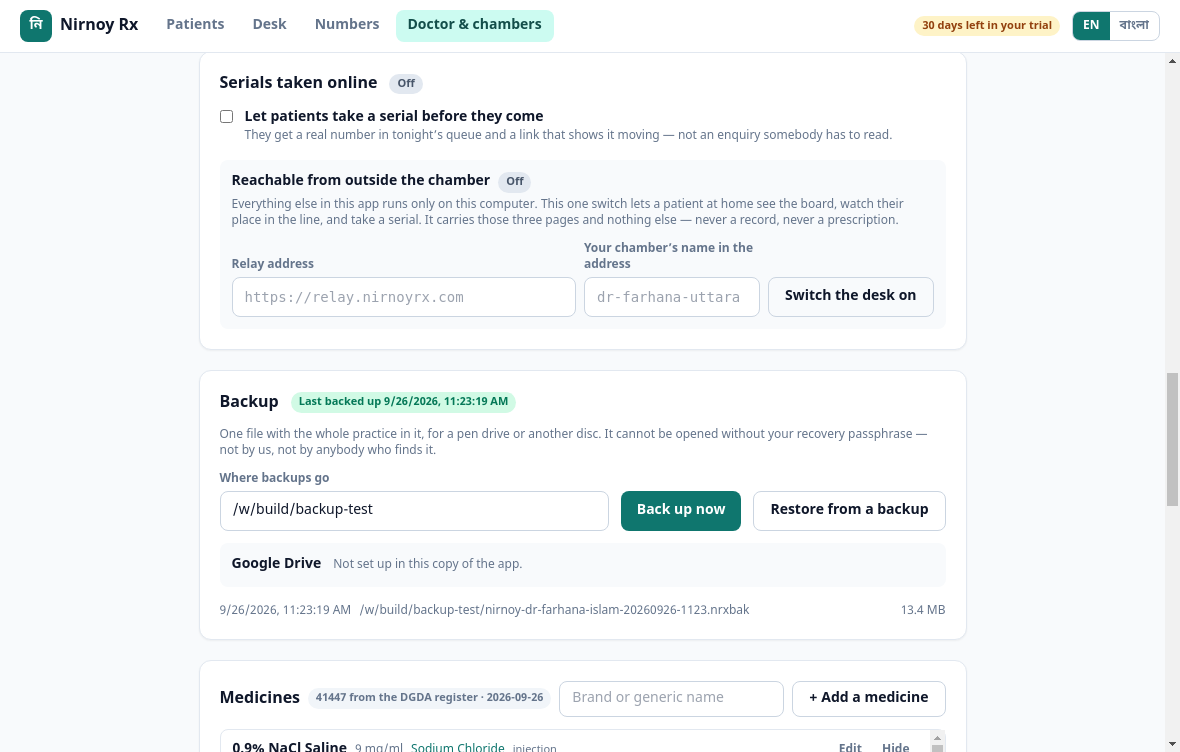
A backup is one file with the whole practice inside it — patients, visits, prescriptions, takings. It is encrypted, and nobody can open it without your recovery passphrase. That includes us.
Taking one
- Go to Doctor & chambers → Backup.
- Choose to a pen drive or to Google Drive.
- When it finishes, the screen says when it ran.
At least once a week, and do not leave the pen drive in the chamber — the fire or the theft that makes you need a backup takes that too.
Restoring onto a new computer
- Install Nirnoy Rx on the new machine.
- On the first screen choose start from a backup.
- Point at the file and type your recovery passphrase.
- It shows you what is inside; check it and press restore.
- Open a ticket with the new Machine ID and a fresh licence key is sent.
If this page did not get you there, write to support — tell us where it stopped making sense and we will fix the page too.