Day to day
Online serials and deposits
Patients booking from home, and taking a deposit — through the gateway, or sent by hand.
With online serials on, patients take a number themselves from a link. It is a real number in the real line you will call from this evening.
Switching it on
- Open the chamber under Doctor & chambers.
- Switch Online serials on.
- Say how many a day go online, and how many you keep back for whoever walks in.
- Copy the link onto your Facebook page, your card, or into WhatsApp.
The deposit, two ways
| Way | What the patient does | What you do |
|---|---|---|
| bKash gateway | Pays with bKash inside the booking. | Nothing — the serial confirms itself. |
| Sent by hand | Sends to your bKash number and types the transaction ID. | The desk matches the ID and presses confirm. |
Gateway money goes straight into your own bKash merchant account. We never hold it and never route it — the chamber’s computer talks to bKash with your own credentials.
How the patient knows when to come
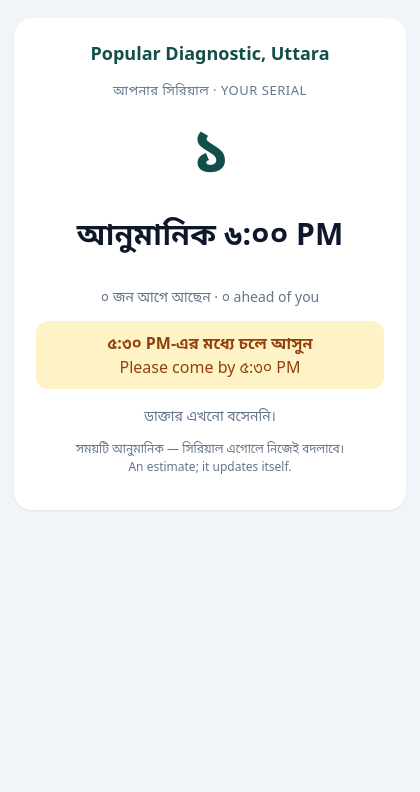
After booking, the patient gets a link of their own showing their number, how many are ahead, and roughly when they will be called — with half an hour of room. If you start late, that time updates itself.
If this page did not get you there, write to support — tell us where it stopped making sense and we will fix the page too.