Day to day
Writing and printing prescriptions
Finding medicines, doses, templates, and setting the margin for a pre-printed pad.
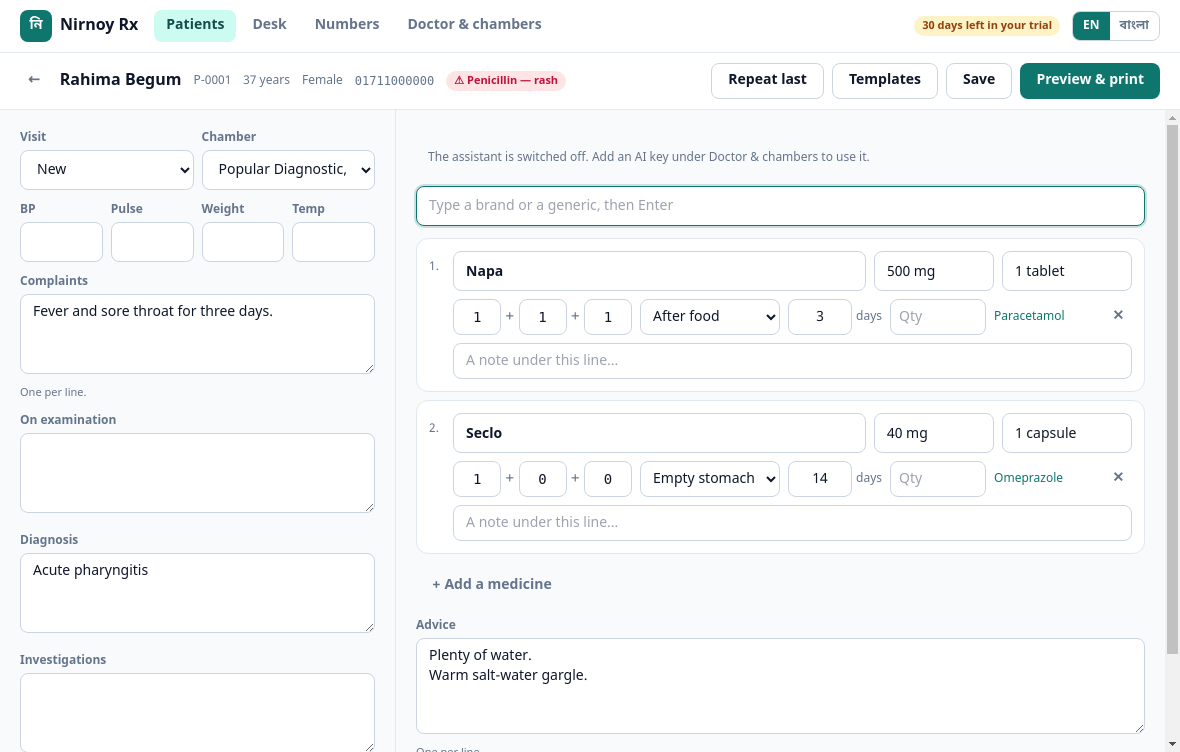
Open a patient and press New prescription. Complaints, examination, diagnosis and advice down the left; medicines down the right.
Adding a medicine
- Type the first few letters of a brand or a generic and the list appears.
- Press Enter to take the first, or click one.
- Put the dose in as
1+0+1, and the number of days. - It works out the quantity itself; you can change it.
A recorded allergy sits in red beside the patient’s name, on every screen.
Repeating the last one
Repeat last brings the previous visit’s medicines across exactly — which is what a long-term patient usually needs. Change anything you like afterwards.
Your own templates
For a complaint you write the same thing for every day, write it once and save it under Templates with a name. Next time, choosing the name fills the whole thing in.
Printing on your own pad
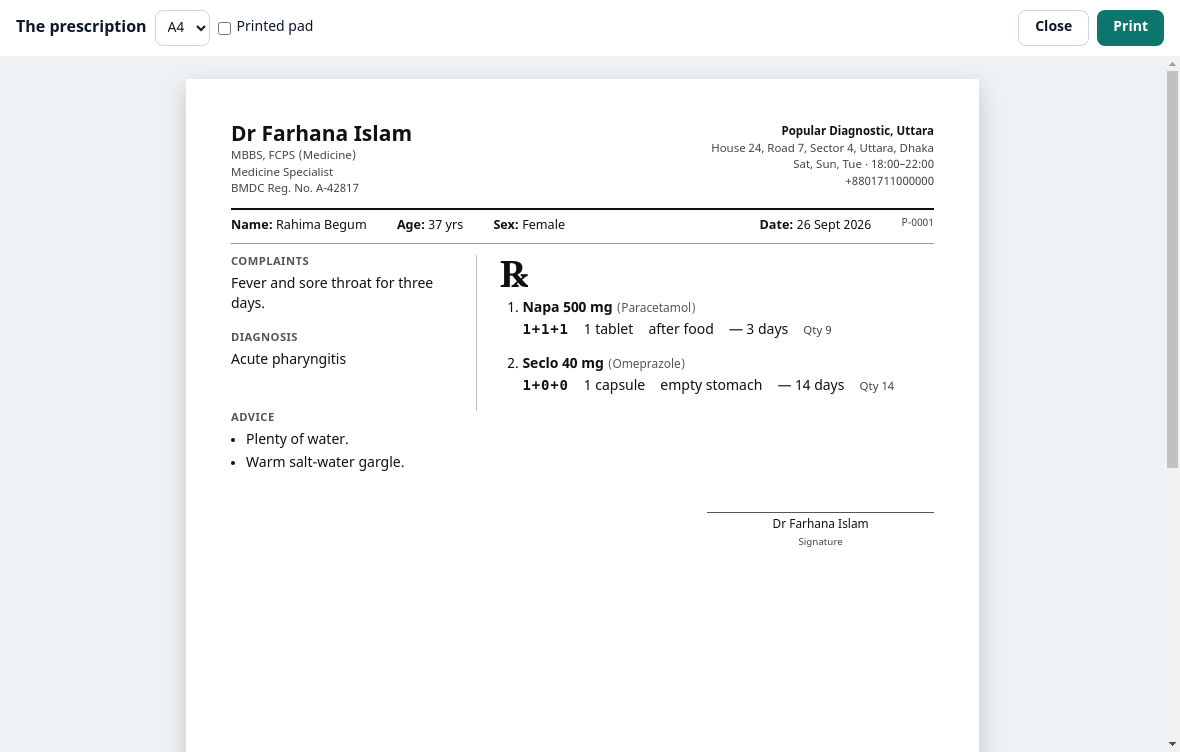
- Press Preview & print.
- Tick Printed pad at the top.
- Measure the printed part of your pad in millimetres and put that in — usually between 40 and 50.
- Print one and check it; if it is not quite right, change the measurement by a millimetre or two.
If this page did not get you there, write to support — tell us where it stopped making sense and we will fix the page too.