

The diagnostic centre · Day to day
Results, approval and the report
Typing the values, a doctor’s approval and signature, the report printed or texted as a link — and which reports are running late.
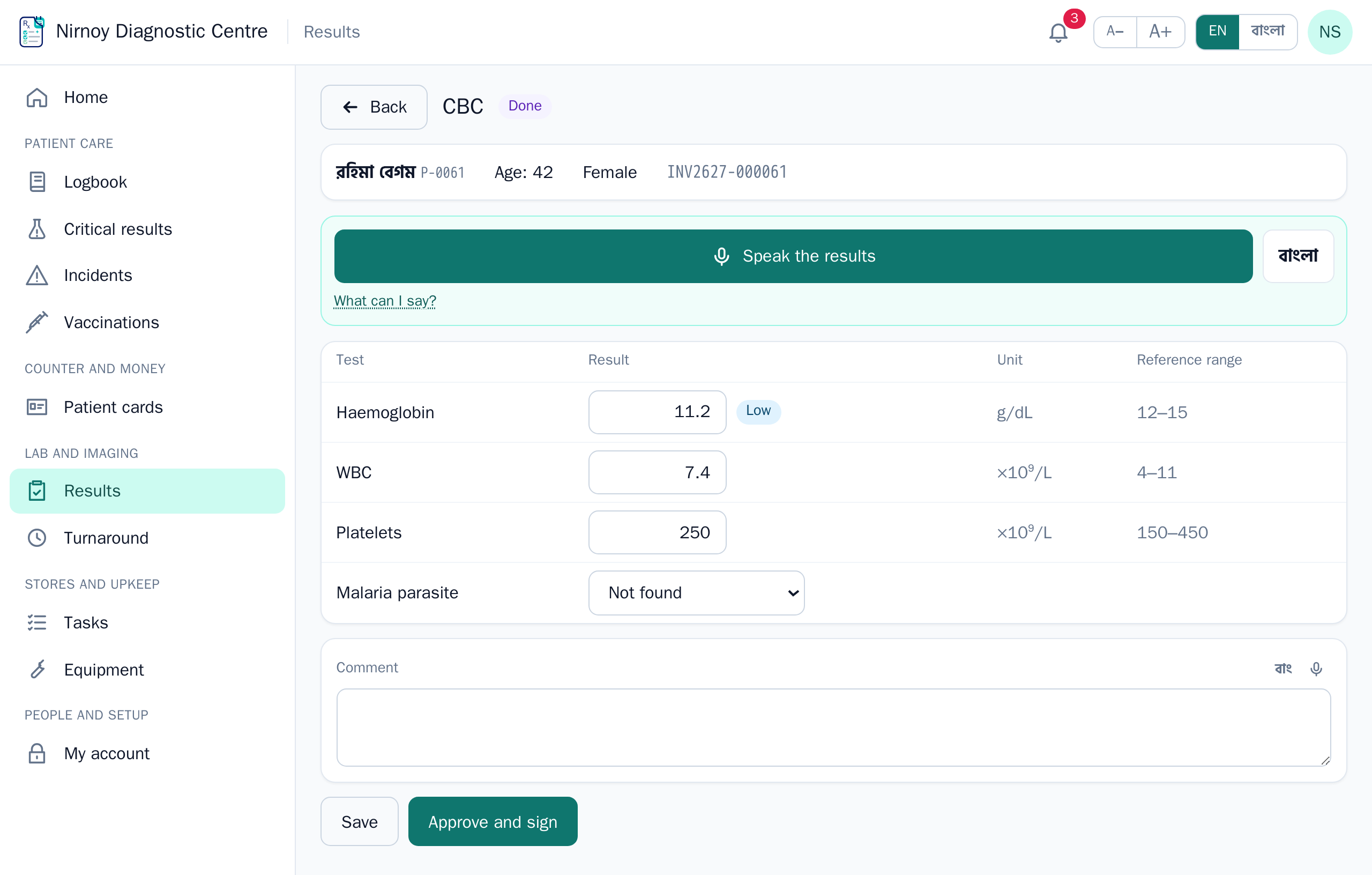
- In Results the technician types the values; anything outside the centre’s ranges is marked low or high.
- A doctor signed in as themselves checks, approves and signs.
- The counter prints the report, or texts the patient a private link.
- A result past a critical limit goes to the doctor in charge at once, with an alarm.
- Changing an approved report takes a reason; the old one is kept and the report says it was amended.
- Turnaround shows which reports are past their promised time and at which step they are stuck.
If this page did not get you there, write to support — tell us where it stopped making sense and we will fix the page too.