

The hospital and clinic · The admitted patient
Corporate and panel patients
The companies, insurers, government and NGO schemes the hospital has an agreement with: the discount, the patient’s share, the credit limit; members and dependants; split bills, claims, payments and write-offs.
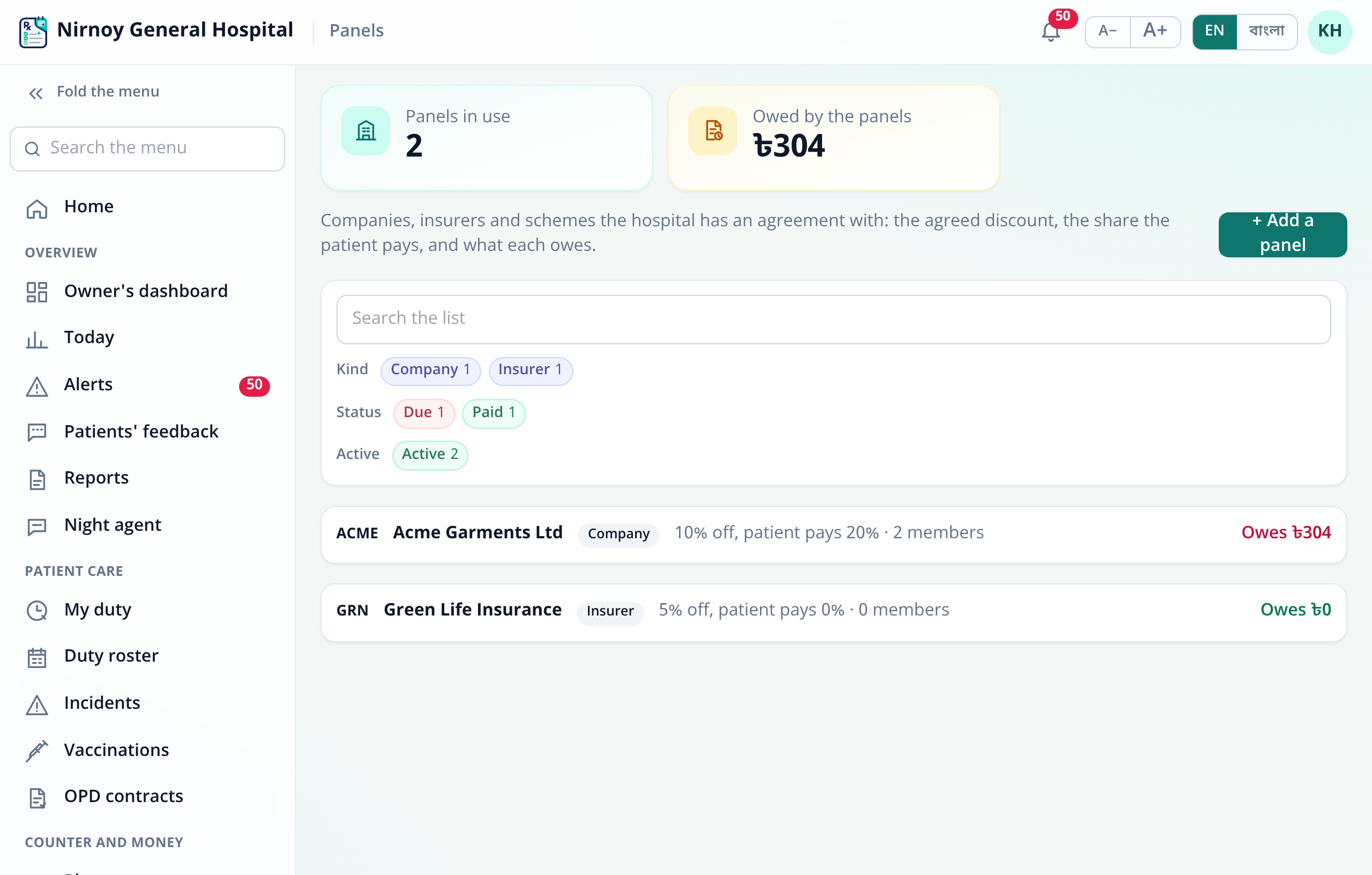
A panel is an organisation the hospital has an agreement with: a company for its employees, an insurer for its policy holders, or a government or NGO scheme. A panel patient pays only their own share at the counter; the rest is owed by the panel, and the hospital claims it later with a statement.
All of it is under Counter and money › Panels, and at the counter when the patient comes.
Who may do what
- Keeping the panels — a new panel, a changed agreement, recording a payment, the claim and write-offs: whoever’s role has “Keep the corporate and insurance panels, and take their payments” (
panel.manage). To begin with, the Accountant, the Manager and the Administrator. - Putting a patient on a panel: the counter (
counter.use), whoever may write patients’ details (patient.write), the admissions desk (ipd.admit), or whoever keeps the panels. - Approving a write-off: whoever holds “Approve refunds, discounts and dues” (
approve) — the Manager and the Administrator, to begin with.
Adding a panel
- In Panels, press + Add a panel.
- A Short code (such as BRAC or GP-STAFF — each panel its own), the Name, the Name in Bangla, and the Kind: Company, Insurer, Government, NGO or Other.
- The terms: Agreed discount (%), Patient pays (%), the Credit limit (in taka; 0 for none) and Pays within (days) — 30 to begin with.
- The contact person, phone, email and address — printed on the claim as who it is to. Press Save.
When the agreement changes, open the panel and Edit; the new terms apply from the next invoice, and those already made stay as they were. When the agreement ends, untick Active — the panel stays on the list with what it owes, but takes no new bill and no new member.
How the terms work — an example
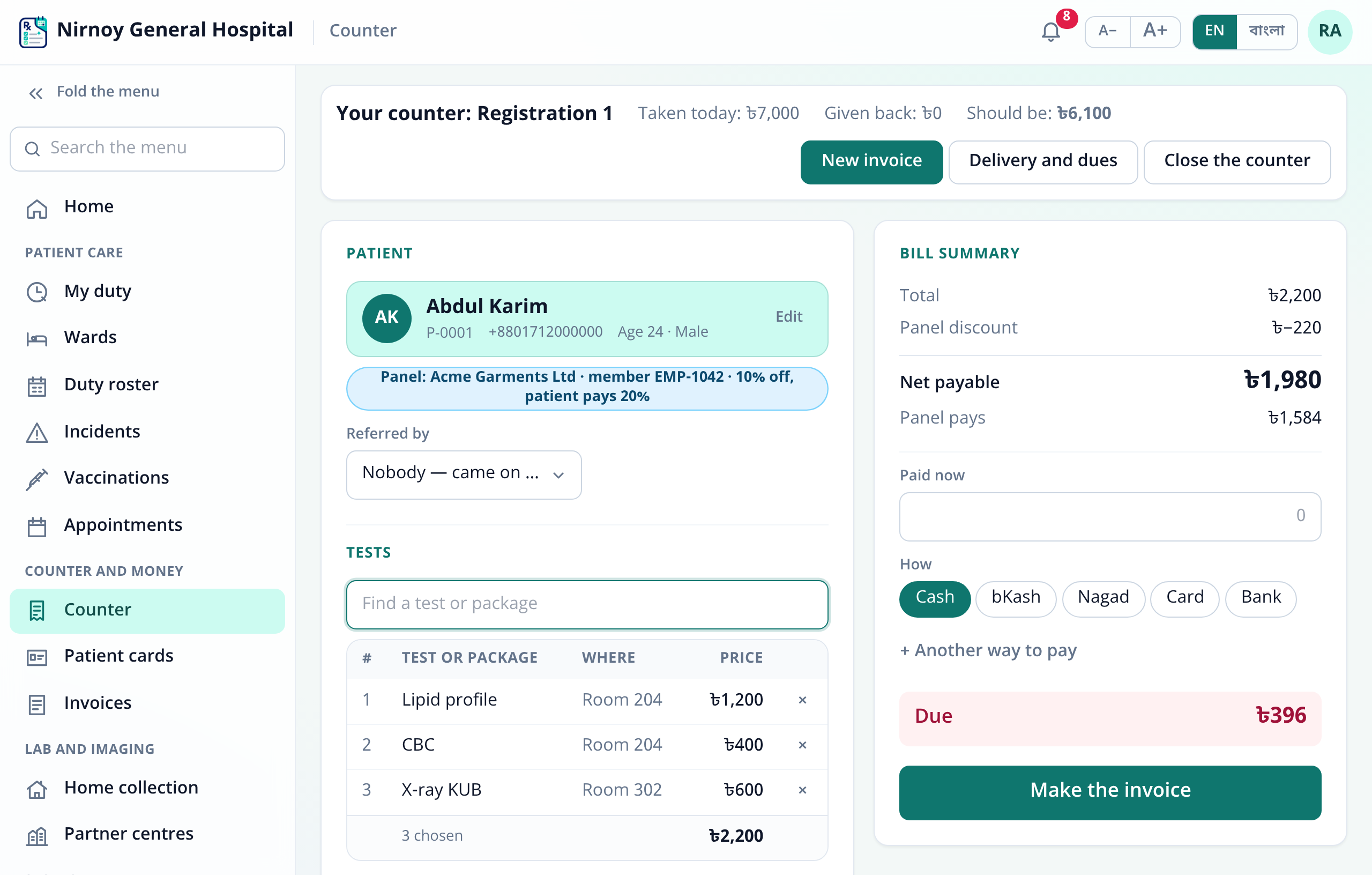
The agreed discount comes off the whole bill first. Of what is left, the patient pays the Patient pays percentage — taken up to the whole taka; the panel owes the rest. On a panel with 10% off where the patient pays 20%:
- Lipid profile ৳1,200 + CBC ৳400 + X-ray ৳600 = ৳2,200 in all
- Panel discount 10% = ৳220, net ৳1,980
- The patient pays 20% of ৳1,980 = ৳396 — all that is due at the counter
- The panel pays ৳1,980 − ৳396 = ৳1,584, which goes to “Due from companies and insurers”
Where the patient pays 0%, the whole net is the panel’s; with 0% off, the bill is only split, not reduced.
Members and dependants
- At the counter, choose the patient. If they are not on a panel, press + Put on a panel under their name.
- Choose the panel, write the Card / employee no. (or the policy number), and who they are: Self, Spouse, Child, Parent or Other dependant.
- A dependant needs the Employee or policy holder — the claim says “dependant of …”. For one’s own cover you may give the date it runs to; left empty, it runs until it is ended.
- Press Save and the cover is chosen for this bill straight away.
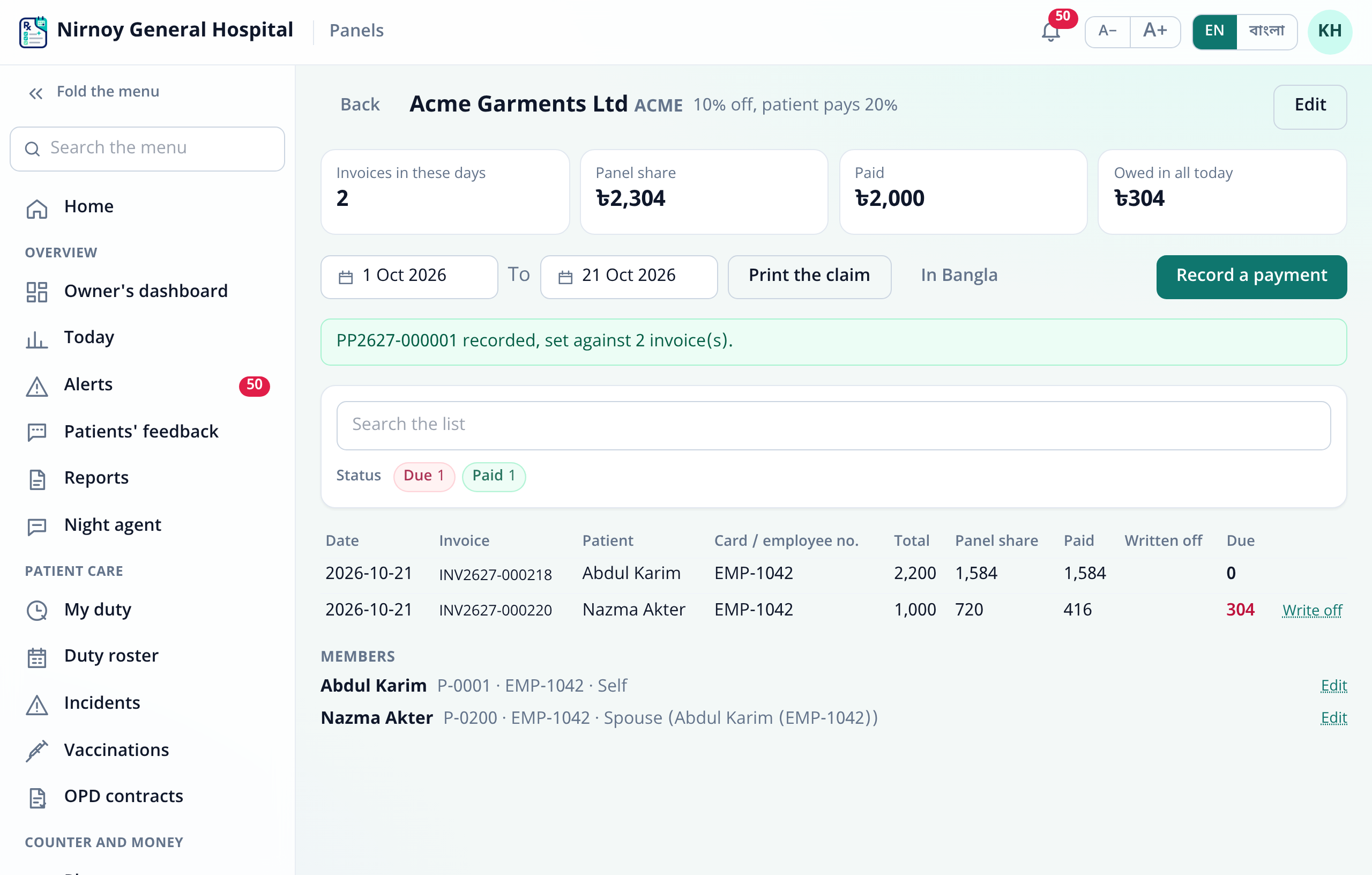
The panel’s page lists its Members with each one’s number, relation and end date; Edit changes the number, the relation, the end date (a dependant’s too), and when an employee leaves or a policy ends, untick The cover is on. A cover past its date or ended shows “Not current”, and no bill is made on it.
Billing at the counter
- With the patient chosen, a Has a panel chip shows under their name when they have a current cover. Press it and choose the cover — or The patient (no panel) if they are paying this bill themselves.
- The chip shows the panel, the member number and the terms. Add the tests and charges — the Bill summary shows the Panel discount, the Net payable, what the Panel pays and the patient’s Due.
- Take the patient’s share and press Make the invoice. The printed invoice has the panel discount, “To be paid by … (member …)” and what is payable by the patient, each on its own line — in Bangla or English.
Admitted patients
- On the stay’s bill, when the patient has a current cover, the line at the top says “Panel: …”. Press Change and under Billed to choose the cover, or The patient (no panel) — at any time before the final bill is made. A patient not yet on a panel is put on one at the counter first.
- The final bill follows the same rule: the agreed discount, then the patient’s part and the panel’s. The deposits go only towards the patient’s part — the panel’s part is never taken from the patient.
- At discharge only the patient’s part must be settled; the panel’s part being owed does not hold the patient back.
The credit limit
Where a panel has a credit limit, a bill whose panel share would take what it owes on its open invoices past the limit is refused: “This puts … over its credit limit. Take payment from the panel first, or bill the patient.” A payment, or a write-off, makes room again. A limit of 0 means no limit.
Recording a payment
- Open the panel in Panels and press Record a payment.
- The amount, how it came — Bank transfer, Cheque, Cash, bKash or Nagad — and for a bank transfer or cheque the Cheque or transfer reference (required); a note if you like.
- Save: the payment gets its number (PP…), is set against the invoices oldest first, and goes into the books at once — the bank, cash or wallet up, “Due from companies and insurers” down.
A payment cannot be more than the panel owes. The screen says how many invoices it was set against, and the list shows each invoice’s paid and due.
Writing off
When a panel will not pay part of a claim — disallowed on the claim, or paid short and closed — press Write off on that invoice’s row: the amount (the whole of what is due, to begin with) and Why it will not be paid. Unless the person writing it off may approve it themselves, a manager approves on the spot with their own username and password; nobody approves their own.
The claim statement
- Choose any stretch of days on the panel’s page — from the first of this month to today, to begin with. At the top: the invoices in those days, the panel share, what was paid, and what is owed in all today.
- Print the claim prints in the screen’s language, and the button beside it in the other — each invoice with the patient, the member number (and whose dependant) and the amounts, the payments received, any write-offs, what is still to be paid on these invoices, all the panel owes, and “Payment due within … days of the invoice date”.
Accounts and reports
- Each panel share goes into the books as Due from companies and insurers (1310), an asset; a payment brings it down, and a write-off goes to Panel claims written off (5810), an expense.
- The Owner’s dashboard shows what patients and panels owe; panel payments count in the period’s collections.
- The Panels list shows each one’s terms, its members and what it owes, filtered by kind, due or paid, and active.
Reports to the referring doctor
When the doctor who ordered the tests has their Nirnoy Rx linked to the hospital, and the patient agreed, the approved report goes to the doctor’s app by itself — once the invoice is paid. For a panel patient the panel’s part counts as paid, since the hospital took the agreement as payment; the report goes as soon as the patient’s own share is paid, without waiting for the company’s money. The patient’s own copy is the same: ready once their share is settled.
Common questions
- Can a patient be on two panels? Yes — their employer and an insurer, say. The counter chooses which cover each bill is made under.
- The patient wants to pay this one themselves? Choose The patient (no panel) from the chip; it is an ordinary bill.
- The employee number was written wrong? Put it right with the member’s Edit on the panel’s page; the claim shows the corrected number for earlier invoices too.
- A panel invoice is cancelled? It drops out of what the panel owes; on screen it shows struck through, and it is left off the printed claim.
- The panel pays many invoices with one cheque? Record it as one payment; it is set against as many invoices as it covers, oldest first.
If this page did not get you there, write to support — tell us where it stopped making sense and we will fix the page too.